 Veva
Articles
Setup, guides and the developer reference.
Veva CMS · by Advania
Veva is a modular content management system for .NET. Every feature is a package: reference it, restart, and its components are in the editor.
Veva.Web.Essentialsalways on
Add-on modules
dotnet add package Veva.Web.Essentials
then restart the site
How a page is built
Developers shape the bottom two. Editors work in the top two. Each layer changes without touching the others.
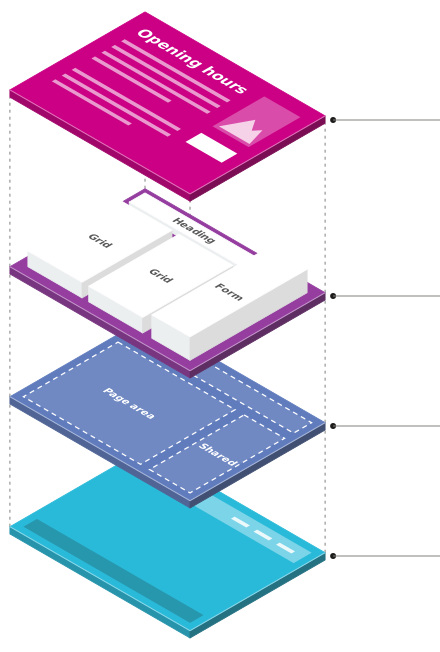

Text, images and data that editors write, bound into components with expressions like {_PageTitle}.
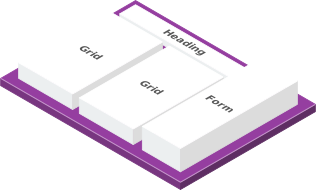
Heading, Grid and Form come built in. Your own are Razor components marked [VevaComponent].
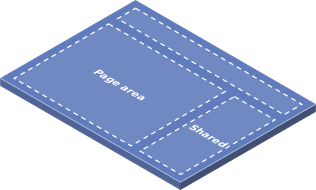
Which areas a page has and which layout it uses: a Page Area for each page, Shared Areas for all of them.
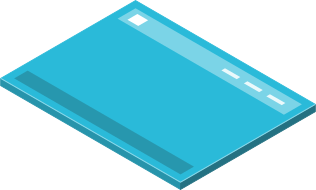
Layouts, CSS, header and footer, registered with AddNamed<ITheme, …>.
Why Veva
Editors compose pages from components, preview them and publish on their own.
Render pages, serve content as JSON over the API, or both from one site.
Components, themes and hooks are Razor and C#. Nothing proprietary to learn.
Read JSON and XML feeds and bind them into pages. Integrate back-end services.
Writing help for editors, and an MCP endpoint that coding agents connect to.
Access control, dev and production kept apart. Windows, Linux or Docker.
Documentation
Setup, guides and the developer reference.
What each module does, and its namespace.
Hooks and interfaces for extending Veva.
Get started
Veva.Web.Essentials gives you pages, assets and documents. Add the next module when the site needs it.