 Veva
Page builder
Compose pages from components, then preview and publish
OpenFeatures
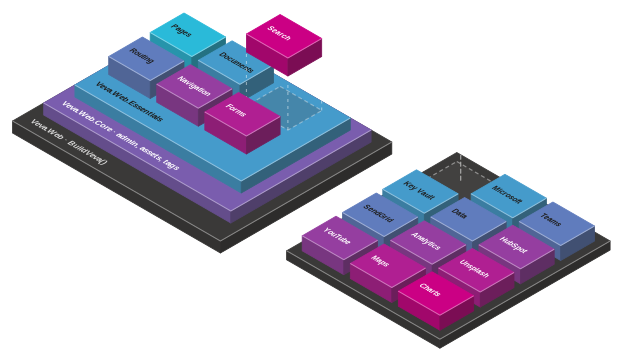
Pages, documents, forms, search and AI agents, each with a page of its own. Every feature is made of modules: Veva.Web.Essentials brings most of them, and you add the rest as packages when the site needs them.
Explore
What each feature does, how it works, the modules it is made of, and where your own code plugs in.
Compose pages from components, then preview and publish
OpenComponents that show, components that fetch, and the binding between them
OpenStructured content you list, filter and serve anywhere
OpenDocument forms that save, generic forms that filter or post
OpenForm answers made into a PDF, downloaded or sent to be signed
OpenOne media library, with images sized on request
OpenCrawl, index and search the whole site
OpenThe admin's AI assistant, and the MCP server coding agents connect to
OpenBuildVeva(), modules, components, themes and hooks
OpenPlain .NET Blazor: three render modes, standard components
OpenData sources, sign-in, mail, analytics and media
OpenEvery module: what comes with Essentials, and the add-ons
OpenBuilt in, or added
Veva.Web.Essentials holds the modules most sites need. The rest are packages of their own, and each feature page lists the ones it uses.
Reference one package, and these are in the editor:
Reference the package, restart, and set it up in the website settings:
Module library
The three layers of Veva.Web.Essentials, the modules inside them, and the add-ons by area: what each package does and which feature uses it.