 Veva
PDF generator
Veva.Web.Essentials A Forms component in Veva.Modules.FormComponents: an A4 layout of the form's answers, and the file handlers that get the PDF.
dotnet add package Veva.Web.EssentialsForms · PDF generator
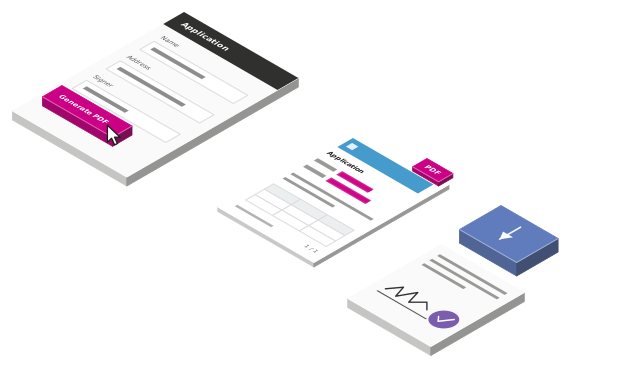
Lay out a PDF in the designer and fill it with a form's answers. When the visitor presses the button, the PDF generator makes the file and hands it on: as a download, or to Signet to be signed.
What you need
The PDF generator comes with Essentials. Puppeteer turns its layout into a PDF, and Signet Signature sends that PDF to be signed.
Veva.Web.Essentials A Forms component in Veva.Modules.FormComponents: an A4 layout of the form's answers, and the file handlers that get the PDF.
dotnet add package Veva.Web.EssentialsVeva.Modules.Puppeteer Renders the layout as an A4 PDF in headless Chromium, with each website's margins, header and footer.
dotnet add package Veva.Modules.PuppeteerSignetSignature.VevaComponents Sends the PDF to Signet Signature, with a field for each signer and components to sign and follow the documents.
dotnet add package SignetSignature.VevaComponentsWhat it does
The PDF generator has an area of its own, shown as an A4 page in the designer. Place headings, text, tables and images in it.
Write {Name} in the layout or in the file name, and the PDF shows what the visitor typed in the Name field.
A Form Action button set to GeneratePDF makes the PDF, hands it to the file handlers, then submits the form.
Trigger download is built in. Pick more than one, and each gets the same file: a download, Signet, or a handler of your own.
Puppeteer renders A4. Each website sets its margins, a header image from the library and a footer with page numbers.
In the designer, Download PDF makes a test file. Show preview puts the A4 layout in front of visitors too.
How it works
01
A Document Form or a Generic Form, with the PDF generator inside it.
PDF generator02
A Form Action button runs the form's GeneratePDF action.
GeneratePDF03
The layout and the page's styles become an A4 PDF in headless Chromium.
IHtmlToPdfService04
Each file handler the editor picked gets the file.
IPDFFileHandler05
Then the form submits as usual, so a Document Form still saves its document.
Signing
The Signet Signature package adds a file handler and components. Set the Signet environment and your credentials in the settings, then test them from the site.
Add a Signet Signer field for each person who signs. A signer can be required or optional, and can be allowed to reject the document.
Then pick Send to SignetSignature in the PDF generator's file handlers. It sends the generated PDF to Signet Signature to be signed.
Components for the documents once they are sent:
For developers
A file handler gets the PDF's name and bytes, and a context whose RenderContext holds the form's values in its data binding. Register it in your module, and editors pick it in the PDF generator's File handlers.
Extend the PDF generator from a module:
IPDFFileHandler: gets each generated PDF, in Veva.Modules.FormComponentsIHtmlToPdfService: turns HTML into a PDF; Veva.Modules.Puppeteer is one[DisplayName("Save to the server")] [Description("Keeps a copy of each generated PDF in the site's pdf folder")] public class SaveToServerHandler(IWebHostEnvironment env) : IPDFFileHandler { public async Task HandleFile( string filename, byte[] fileData, FileHandlerContext context) { string folder = Path.Combine(env.ContentRootPath, "pdf"); Directory.CreateDirectory(folder); string path = Path.Combine(folder, Path.GetFileName(filename)); await File.WriteAllBytesAsync(path, fileData); } } // services.AddNamed<IPDFFileHandler, SaveToServerHandler>();
More of Veva
Each one is made of modules. Reference a package, restart, and its components are in the editor.
Compose pages from components, then preview and publish
OpenComponents that show, components that fetch, and the binding between them
OpenStructured content you list, filter and serve anywhere
OpenDocument forms that save, generic forms that filter or post
OpenOne media library, with images sized on request
OpenCrawl, index and search the whole site
OpenThe admin's AI assistant, and the MCP server coding agents connect to
OpenBuildVeva(), modules, components, themes and hooks
OpenPlain .NET Blazor: three render modes, standard components
OpenData sources, sign-in, mail, analytics and media
OpenEvery module: what comes with Essentials, and the add-ons
Open